Buy junk.eu ?
We are moving the project
junk.eu .
Are you interested in purchasing the domain
junk.eu ?
domain@kv-gmbh.de · 0541-91531010
Buy junk.eu ?
What is the difference between Microsoft Visual Studio Code and Microsoft Visual Studio Community, and which one is better?
Microsoft Visual Studio Code is a lightweight, open-source code editor that is highly customizable and supports a wide range of programming languages. On the other hand, Microsoft Visual Studio Community is a full-featured integrated development environment (IDE) that offers a comprehensive set of tools for building various types of applications. The choice between the two depends on the specific needs of the developer - Visual Studio Code is better for quick editing and lightweight development tasks, while Visual Studio Community is better for more complex projects that require a full-fledged IDE with advanced features. **
What does 'anfügen' mean in Microsoft Visual Studio?
In Microsoft Visual Studio, 'anfügen' means to append or add additional code or files to an existing project. This feature allows developers to seamlessly integrate new components or resources into their project without disrupting the existing codebase. By using the 'anfügen' functionality, developers can easily expand the functionality of their project and enhance its capabilities. **

Similar search terms for Microsoft-Visual-Studio-Enterprise
Top-Angebote
Products related to Microsoft-Visual-Studio-Enterprise:
-
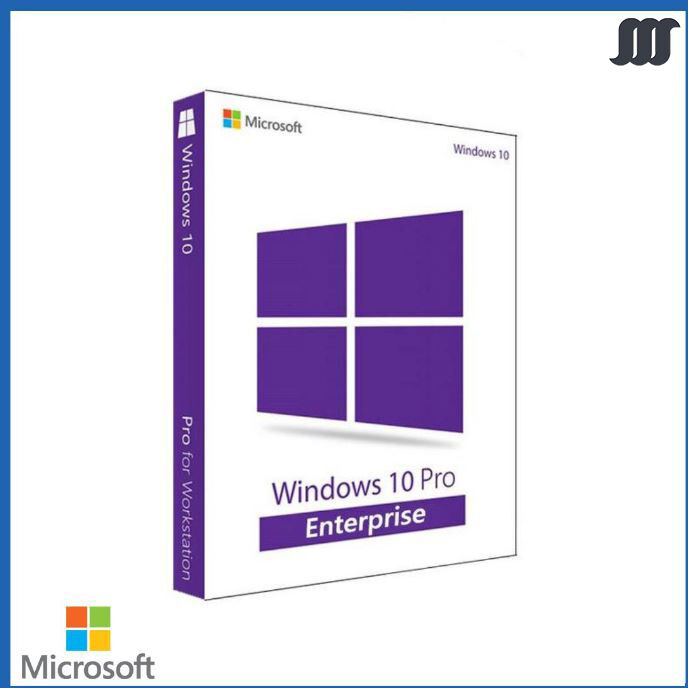
Microsoft Windows 10 Enterprise – Product KeyBuy Windows 10 Enterprise – It designed to address the needs of large and midsize organizations by providing IT professionals with: Advanced protection against modern security threats Flexible deployment, update, and support options Comprehensive device and app management and control Windows 10, version 21H2 makes it easier to protect your endpoints, detect advanced attacks, automate response to emerging threats, and improve your security posture. It also helps you streamline deployment and updates—and deliver enterprise-ready devices to your users straight from the manufacturer Product Info : . Genuine Microsoft Windows Product Key ! GUARANTEED ! . Product Key Can be used on Windows . Support all languages version. Works Worldwide . Full Version Product Key The Item will be sent to your email instantly after we receive your payment ! Please ask any questions or concerns before purchasing this item! 100% satisfaction guaranteed! If you are not satisfied with the product or if there’s an issue with the product, please let us know. FAQS: Q. Do I get a download link to the application? A. Yes, you will receive a link to download the product . Q: Is this key genuine & legitimate? A: Yes, the key is legitimate and 100% authentic. Q: Can I seek Support customer care help if needed in the future? A: Yes, you can get support directly from the Official site. Q. What Operating system does it support? A. Licenses work on both x86 (32bit) and x64 (64bit) versions of Windows.11,21 £*Shipping: 0,00 £Secure redirect to the provider
-
Microsoft Windows 10 IoT Enterprise LTSC 2021Windows 10 IoT Enterprise LTSC 2021 is the Windows version designed for dedicated devices and enterprise solutions that require long-term stability, security and performance. With the Long-Term Servicing Channel (LTSC), this operating system offers guaranteed security updates for years without the disruption caused by unnecessary features or frequent changes. Ideal for industrial devices, interactive kiosks, ATMs, POS terminals and dedicated machines, Windows 10 IoT Enterprise LTSC 2021 combines the power of Windows 10 with an extended lifecycle, ensuring maximum reliability in mission-critical applications. Main features: Long-term stability: extended support without invasive feature updates. IoT device compatibility: optimised for embedded applications and customised solutions. Advanced security: constant updates to protect sensitive systems and data. Optimised performance: elimination of unnecessary services for a light and fast system. Business flexibility: ideal for professional and industrial environments requiring business continuity. With Windows 10 IoT Enterprise LTSC 2021 you will have a robust and secure system, designed to last and ensure maximum efficiency in professional scenarios.10,60 £*Shipping: 0,00 £Secure redirect to the provider
-
Microsoft Windows 10 Enterprise LTSC 2021 - Lifetime licence🪟 Windows 10 Enterprise LTSC 2021 – Lifetime Licence ✅ Version: Enterprise LTSC 2021 🔐 Licence type: Retail – Lifetime licence 💻 Compatible with: 1 PC – 64-bit architecture 🌐 Language: Multilingual (including Italian) 📩 Delivery: Immediate digital delivery via email 📝 Description: Windows 10 Enterprise LTSC 2021 It is the ideal choice for businesses, IT professionals and users who want a stable, secure operating system without frequent updates. The LTSC (Long-Term Servicing Channel) version offers an experience free from the distractions of pre-installed apps and non-essential features. This edition is designed for mission-critical environments that require long-term reliability , such as cash machines, industrial systems, laboratories or simply advanced users who want a lightweight, optimised system. 🎯 Key features: No unnecessary apps or forced updates Greater safety and stability Support extended up to 10 years Ideal for business environments or professional use Includes BitLocker, DirectAccess, AppLocker and much more 📦 What you’ll receive: 🔑 Original activation code for Windows 10 Enterprise LTSC 2021 📃 Detailed instructions for downloading and activation 🛠️ Technical support in the event of problems 💡 Note : This version does not include the Microsoft Store or any pre-installed UWP apps. It is ideal for those looking for performance and stability 🔒 Warranty authentic activation to 100% 🚀 Fast and secure digital delivery10,53 £*Shipping: 0,00 £Secure redirect to the provider
-
Microsoft Windows 10 Enterprise - Online Activation - Lifetime LicenceWindows 10 Enterprise It is the most comprehensive and secure version of the Microsoft operating system, designed specifically for businesses, professionals and users who require the highest level of performance, stability and data protection. Thanks to its advanced features, Windows 10 Enterprise provides total control over the infrastructure, centralised device management and dedicated enterprise-grade security tools. Main features 🔐 Advanced Security Windows Defender Advanced Threat Protection (ATP) Device Guard and Credential Guard BitLocker for full-disk encryption 💼 Features for businesses and professionals Centralised management using Group Policy Assigned access and application control Compatibility with Microsoft 365 and Azure tools ⚡ High performance and stability Optimised for high-demand work environments Regular and ongoing security updates 🌍 Compatibility guaranteed It works with most software, drivers and devices, making it ideal for offices, businesses, schools and professional practices. What you receive ✔️ Genuine Windows 10 Enterprise licence ✔️ Immediate online activation ✔️ Direct download from the official Microsoft website ✔️ After-sales support in Italian2,63 £*Shipping: 0,00 £Secure redirect to the provider


-
How do I uninstall Microsoft Visual Studio Tools?
To uninstall Microsoft Visual Studio Tools, you can go to the Control Panel on your computer and select "Programs and Features." From there, you can find Microsoft Visual Studio Tools in the list of installed programs and select "Uninstall." Follow the prompts to complete the uninstallation process. Additionally, you can use the Visual Studio Installer to uninstall specific components or extensions related to Visual Studio Tools. **
-
How can I fix the problem with curly braces in Visual Studio Enterprise?
To fix the problem with curly braces in Visual Studio Enterprise, you can try the following steps: 1. Check for any syntax errors or missing closing braces in your code. 2. Make sure that your code is properly formatted and indented to clearly see where each brace should be placed. 3. Use the automatic formatting feature in Visual Studio by pressing Ctrl + K, Ctrl + D to organize your code and align the braces correctly. 4. If the issue persists, try restarting Visual Studio or resetting the settings to default to see if that resolves the problem. **
-
What is the best C extension for Microsoft Visual Studio Code?
The best C extension for Microsoft Visual Studio Code is typically considered to be "C/C++" by Microsoft. This extension provides IntelliSense for C/C++ code, debugging capabilities, and integration with the Visual Studio Code editor. It offers a range of features to enhance the development experience for C/C++ programmers, making it a popular choice among developers using Visual Studio Code for C programming. **
-
How can I use a Microsoft Visual Studio project on different computers?
To use a Microsoft Visual Studio project on different computers, you can follow these steps: 1. Store your project files in a shared location such as a cloud storage service like OneDrive or GitHub so that you can access them from any computer. 2. Make sure to include all necessary project dependencies and libraries within the project folder to ensure it runs smoothly on different computers. 3. Use version control systems like Git to track changes and collaborate with others on the project, making it easier to work on different computers without losing progress. **


Can Microsoft Visual Studio Community only be installed on one hard drive?
No, Microsoft Visual Studio Community can be installed on multiple hard drives. During the installation process, you can choose the destination folder where you want to install the software. This allows you to install Visual Studio Community on different hard drives if needed. **
What is the difference between Visual Studio and Visual Studio Code?
Visual Studio is a full-featured integrated development environment (IDE) developed by Microsoft, primarily used for developing computer programs, websites, web apps, and mobile apps. It provides a wide range of features and tools for software development, including debugging, code editing, and project management. On the other hand, Visual Studio Code is a lightweight, open-source code editor developed by Microsoft. It is designed for quick and efficient coding and supports a wide range of programming languages. Visual Studio Code is highly customizable and has a rich ecosystem of extensions for additional functionality. In summary, Visual Studio is a comprehensive IDE with a wide range of features for software development, while Visual Studio Code is a lightweight, customizable code editor focused on quick and efficient coding. **
Top-Angebote
Products related to Microsoft-Visual-Studio-Enterprise:
-
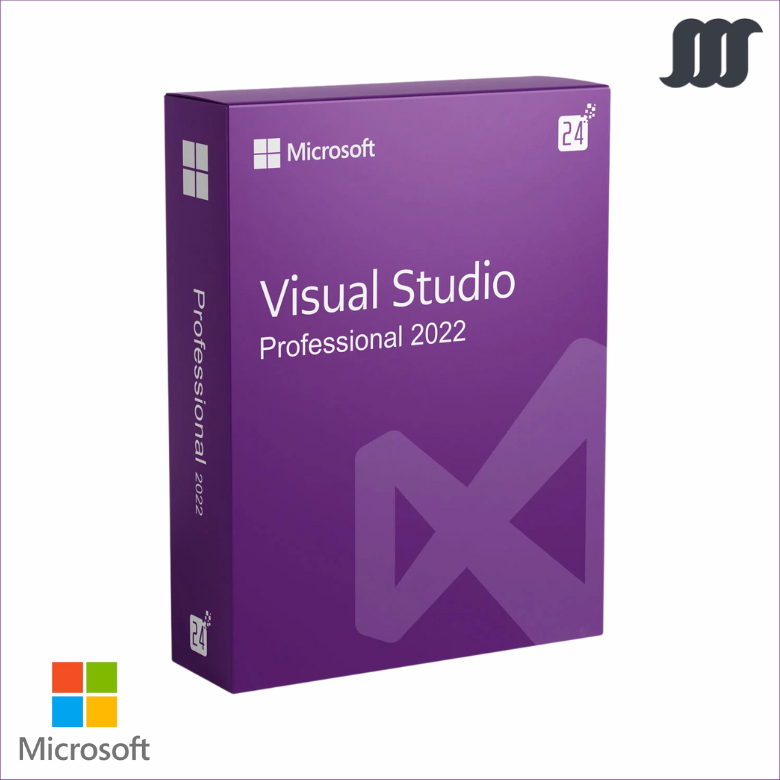
Microsoft Visual Studio 2022 Professional (PC) - Microsoft Key - GLOBALDescription: Elevate your coding experience to new heights with Microsoft Visual Studio 2022 Professional. This comprehensive tool suite is designed to streamline your development workflow and empower you to bring your ideas to life, whether you're a seasoned developer or just starting. Key Features: Integrated Development Environment (IDE): Seamlessly write, debug, and optimize code within a unified workspace. Language Support: Code in your preferred language with robust support for C#, C++, Python, JavaScript, and more. Advanced Debugging Tools: Quickly identify and fix issues with real-time code analysis and debugging capabilities. Collaboration Tools: Foster teamwork with built-in version control systems like Git, enabling efficient collaboration among team members. Cloud Integration: Connect seamlessly to Microsoft Azure for application deployment, monitoring, and scaling. Productivity Features: Enhance productivity with time-saving features like IntelliSense code completion and customizable project templates. Extensive Compatibility: Compatible with Windows 10 and supports Intel Core i5 or higher processor, 8 GB RAM or more, DirectX 11-compatible graphics card, and at least 10 GB of free storage space. System Requirements: Operating System: Windows 10 Processor: Intel Core i5 or higher RAM: 8 GB or more Graphics: DirectX 11-compatible graphics card Storage: Minimum 10 GB of free storage space Unlock the full potential of your development projects with Microsoft Visual Studio 2022 Professional. Whether you're coding for web, mobile, or desktop applications, Visual Studio 2022 has everything you need to succeed.15,19 £*Shipping: 0,00 £Secure redirect to the provider
-
Microsoft Windows 11 EnterpriseMicrosoft Windows 11 Enterprise offers a robust and secure operating system tailored specifically for business environments, combining the latest innovations with enterprise-grade security and management capabilities. Designed to meet the demanding needs of organisations across the UK, this edition provides enhanced productivity tools and seamless integration with existing IT infrastructure. Built on the foundation of Windows 11, this Enterprise version delivers a modern and intuitive user interface that enhances workflow and makes navigating daily tasks more efficient. Its redesigned Start menu, improved multitasking features like Snap Layouts and Desktops, and a refreshed Microsoft Store enable your teams to work smarter, not harder. One of the standout features of Windows 11 Enterprise is its comprehensive security framework. It includes advanced protection technologies such as Windows Defender, BitLocker encryption, and Microsoft Defender for Endpoint, which safeguard sensitive data against evolving cyber threats. These features help organisations in the UK comply with data protection regulations and maintain operational integrity. This operating system also supports flexible deployment and management options to suit various business sizes and structures. With tools like Windows Autopilot and Microsoft Endpoint Manager compatibility, IT administrators can easily set up, configure, and maintain devices across the organisation, reducing downtime and support costs. Windows 11 Enterprise offers enhanced virtualization capabilities, allowing businesses to run legacy applications seamlessly alongside modern apps. The inclusion of Windows Subsystem for Linux (WSL) and compatibility with Azure Active Directory further empower development teams and support hybrid cloud environments. In addition to security and management, the Enterprise edition prioritises collaboration and productivity. Integration with Microsoft 365 services, such as Teams, OneDrive, and SharePoint, enables real-time communication and secure file sharing within teams, fostering a connected workplace. This edition is ideal for UK organisations seeking a reliable and future-proof operating system that supports digital transformation initiatives. Whether deploying across a small office or a large enterprise, Windows 11 Enterprise is designed to scale and adapt to your business needs. Available now through Omega Keys UK, Microsoft Windows 11 Enterprise ensures your organisation benefits from the latest advancements in operating system technology while maintaining control, security, and flexibility. Choosing this edition means investing in an efficient, secure, and collaborative platform tailored for modern business challenges.69,99 £*Shipping: 0,00 £Secure redirect to the provider
-
Microsoft Windows 10 Enterprise – Product KeyBuy Windows 10 Enterprise – It designed to address the needs of large and midsize organizations by providing IT professionals with: Advanced protection against modern security threats Flexible deployment, update, and support options Comprehensive device and app management and control Windows 10, version 21H2 makes it easier to protect your endpoints, detect advanced attacks, automate response to emerging threats, and improve your security posture. It also helps you streamline deployment and updates—and deliver enterprise-ready devices to your users straight from the manufacturer Product Info : . Genuine Microsoft Windows Product Key ! GUARANTEED ! . Product Key Can be used on Windows . Support all languages version. Works Worldwide . Full Version Product Key The Item will be sent to your email instantly after we receive your payment ! Please ask any questions or concerns before purchasing this item! 100% satisfaction guaranteed! If you are not satisfied with the product or if there’s an issue with the product, please let us know. FAQS: Q. Do I get a download link to the application? A. Yes, you will receive a link to download the product . Q: Is this key genuine & legitimate? A: Yes, the key is legitimate and 100% authentic. Q: Can I seek Support customer care help if needed in the future? A: Yes, you can get support directly from the Official site. Q. What Operating system does it support? A. Licenses work on both x86 (32bit) and x64 (64bit) versions of Windows.11,21 £*Shipping: 0,00 £Secure redirect to the provider
-
Microsoft Windows 10 IoT Enterprise LTSC 2021Windows 10 IoT Enterprise LTSC 2021 is the Windows version designed for dedicated devices and enterprise solutions that require long-term stability, security and performance. With the Long-Term Servicing Channel (LTSC), this operating system offers guaranteed security updates for years without the disruption caused by unnecessary features or frequent changes. Ideal for industrial devices, interactive kiosks, ATMs, POS terminals and dedicated machines, Windows 10 IoT Enterprise LTSC 2021 combines the power of Windows 10 with an extended lifecycle, ensuring maximum reliability in mission-critical applications. Main features: Long-term stability: extended support without invasive feature updates. IoT device compatibility: optimised for embedded applications and customised solutions. Advanced security: constant updates to protect sensitive systems and data. Optimised performance: elimination of unnecessary services for a light and fast system. Business flexibility: ideal for professional and industrial environments requiring business continuity. With Windows 10 IoT Enterprise LTSC 2021 you will have a robust and secure system, designed to last and ensure maximum efficiency in professional scenarios.10,60 £*Shipping: 0,00 £Secure redirect to the provider
-
What is the difference between Microsoft Visual Studio Code and Microsoft Visual Studio Community, and which one is better?
Microsoft Visual Studio Code is a lightweight, open-source code editor that is highly customizable and supports a wide range of programming languages. On the other hand, Microsoft Visual Studio Community is a full-featured integrated development environment (IDE) that offers a comprehensive set of tools for building various types of applications. The choice between the two depends on the specific needs of the developer - Visual Studio Code is better for quick editing and lightweight development tasks, while Visual Studio Community is better for more complex projects that require a full-fledged IDE with advanced features. **
-
What does 'anfügen' mean in Microsoft Visual Studio?
In Microsoft Visual Studio, 'anfügen' means to append or add additional code or files to an existing project. This feature allows developers to seamlessly integrate new components or resources into their project without disrupting the existing codebase. By using the 'anfügen' functionality, developers can easily expand the functionality of their project and enhance its capabilities. **
-
How do I uninstall Microsoft Visual Studio Tools?
To uninstall Microsoft Visual Studio Tools, you can go to the Control Panel on your computer and select "Programs and Features." From there, you can find Microsoft Visual Studio Tools in the list of installed programs and select "Uninstall." Follow the prompts to complete the uninstallation process. Additionally, you can use the Visual Studio Installer to uninstall specific components or extensions related to Visual Studio Tools. **
-
How can I fix the problem with curly braces in Visual Studio Enterprise?
To fix the problem with curly braces in Visual Studio Enterprise, you can try the following steps: 1. Check for any syntax errors or missing closing braces in your code. 2. Make sure that your code is properly formatted and indented to clearly see where each brace should be placed. 3. Use the automatic formatting feature in Visual Studio by pressing Ctrl + K, Ctrl + D to organize your code and align the braces correctly. 4. If the issue persists, try restarting Visual Studio or resetting the settings to default to see if that resolves the problem. **
Similar search terms for Microsoft-Visual-Studio-Enterprise
-
Microsoft Windows 10 Enterprise LTSC 2021 - Lifetime licence🪟 Windows 10 Enterprise LTSC 2021 – Lifetime Licence ✅ Version: Enterprise LTSC 2021 🔐 Licence type: Retail – Lifetime licence 💻 Compatible with: 1 PC – 64-bit architecture 🌐 Language: Multilingual (including Italian) 📩 Delivery: Immediate digital delivery via email 📝 Description: Windows 10 Enterprise LTSC 2021 It is the ideal choice for businesses, IT professionals and users who want a stable, secure operating system without frequent updates. The LTSC (Long-Term Servicing Channel) version offers an experience free from the distractions of pre-installed apps and non-essential features. This edition is designed for mission-critical environments that require long-term reliability , such as cash machines, industrial systems, laboratories or simply advanced users who want a lightweight, optimised system. 🎯 Key features: No unnecessary apps or forced updates Greater safety and stability Support extended up to 10 years Ideal for business environments or professional use Includes BitLocker, DirectAccess, AppLocker and much more 📦 What you’ll receive: 🔑 Original activation code for Windows 10 Enterprise LTSC 2021 📃 Detailed instructions for downloading and activation 🛠️ Technical support in the event of problems 💡 Note : This version does not include the Microsoft Store or any pre-installed UWP apps. It is ideal for those looking for performance and stability 🔒 Warranty authentic activation to 100% 🚀 Fast and secure digital delivery10,53 £*Shipping: 0,00 £Secure redirect to the provider
-
Microsoft Windows 10 Enterprise - Online Activation - Lifetime LicenceWindows 10 Enterprise It is the most comprehensive and secure version of the Microsoft operating system, designed specifically for businesses, professionals and users who require the highest level of performance, stability and data protection. Thanks to its advanced features, Windows 10 Enterprise provides total control over the infrastructure, centralised device management and dedicated enterprise-grade security tools. Main features 🔐 Advanced Security Windows Defender Advanced Threat Protection (ATP) Device Guard and Credential Guard BitLocker for full-disk encryption 💼 Features for businesses and professionals Centralised management using Group Policy Assigned access and application control Compatibility with Microsoft 365 and Azure tools ⚡ High performance and stability Optimised for high-demand work environments Regular and ongoing security updates 🌍 Compatibility guaranteed It works with most software, drivers and devices, making it ideal for offices, businesses, schools and professional practices. What you receive ✔️ Genuine Windows 10 Enterprise licence ✔️ Immediate online activation ✔️ Direct download from the official Microsoft website ✔️ After-sales support in Italian2,63 £*Shipping: 0,00 £Secure redirect to the provider
-
Joao Ferreira Hands-On Microsoft Teams: Practical Guide for Enterprise Collaboration with Office 365 - Non Fiction - PaperbackTitle:. Hands-On Microsoft Teams: A practical guide to enhancing enterprise collaboration with Microsoft Teams and Office 365 Condition: BRAND NEW. Format: Paperback Overview:. Hands-On Microsoft Teams is a practical blueprint for turning Teams into a productive engine for enterprise collaboration. From the outset, the book walks you through core components—creating teams and channels, structuring conversations, scheduling and running meetings, sharing files, and adding tabs to integrate the apps your organisation relies on. It then bridges to the broader Microsoft 365 ecosystem, showing how Teams sits alongside SharePoint, Power Platform, and Exchange to unify communication with everyday work. The authorAnchored by real-world scenarios and hands-on tutorials, the guide covers governance, security, and compliance considerations that matter in large organisations, offering repeatable workflows you can tailor to your environment. Expect clear steps, practical checklists, and proven tips for extending Teams beyond its out-of-the-box capabilities—such as automating routine tasks with PowerShell, building lightweight Teams apps through the Developer Portal without coding, and integrating with Power Automate and PowerApps to streamline approvals, notifications, and collaboration processes. Whether you’re an IT administrator, a team leader, or a power user, this paperback equips you to design a scalable, user-friendly Teams environment that boosts adoption, reduces friction, and accelerates business outcomes. What Makes This Book Stand Out:. Where many guides stop at theory, Hands-On Microsoft Teams dives into the practicalities that matter in busy workplaces. It leans on hands-on tutorials and real-world projects that mirror everyday scenarios—onboarding new teams, enforcing governance, managing guest access, and connecting Teams with SharePoint for seamless file storage. The book demystifies automation with straightforward, repeatable steps for PowerShell scripts, app configurations, and connectors to Power Automate and PowerApps. A standout feature is its balanced focus on governance and usability: templates, policy guidance, and deployment patterns designed to protect security while accelerating adoption. The author’s clear, experience-driven voice helps you translate concepts into reliable results, whether you’re deploying Teams regionally or across a global organisation. The result is a practical playbook you can reference again as collaboration needs evolve. Who This Book Is Perfect For:. This guide is ideal for IT administrators responsible for deploying, securing, and governing Microsoft Teams within an Office 365 environment; systems engineers and architects aligning collaboration tools with existing infrastructure; team leaders and department heads seeking practical ways to boost productivity; trainers and change managers delivering tech adoption programs; and any professional wanting a trusted, hands‑on reference to build a scalable,...99,99 £*Shipping: 0,00 £Secure redirect to the provider
-
MS Visual Studio 2026 Professional CD KeyMS Visual Studio 2026 Professional Developer IDE License Product Overview MS Visual Studio 2026 is Microsoft’s next‑generation integrated development environment, engineered for developers who demand speed, intelligence, and reliability in every stage of the software lifecycle. Designed for modern application development across desktop, cloud, mobile, and web platforms, Visual Studio 2026 introduces enhanced AI‑assisted coding, faster project handling, and deeper cloud integration to streamline even the most complex workflows. This digital license unlocks the full suite of Visual Studio 2026’s professional features, giving developers access to advanced debugging tools, real‑time code analysis, improved Git workflows, and seamless Azure deployment capabilities. Whether you're building enterprise‑grade applications or managing large‑scale development teams, Visual Studio 2026 provides the performance and flexibility needed to stay ahead in a rapidly evolving tech landscape. With improved stability, optimized performance for large solutions, and a redesigned interface focused on clarity and productivity, this activation key ensures you’re equipped with the most powerful development environment Microsoft has ever released. Release & Licensing Version: MS Visual Studio 2026 (Professional Build) Platform: Windows 11, Windows 10, Windows Server 2022 / 2019 Format: Digital Activation Key (Alphanumeric) License: Global / Region‑Free (Single Developer License) Key Features of Visual Studio 2026 AI‑Enhanced Coding Assistance Experience the next evolution of IntelliSense with smarter, context‑aware suggestions, improved code completion, and AI‑powered refactoring that accelerates development and reduces errors. Faster Project Performance Visual Studio 2026 introduces optimized solution loading, reduced memory usage, and improved build speeds — ideal for large enterprise projects and multi‑layered architectures. Advanced Debugging & Diagnostics Gain deeper insights with enhanced performance profilers, real‑time memory tracking, and improved breakpoint management to identify issues faster and more accurately. Seamless Git & GitHub Integration Manage branches, resolve conflicts, and collaborate with teams more efficiently using the updated Git interface built directly into the IDE. Cloud‑Native Development Tools Build, test, and deploy applications to Azure with improved container support, serverless templates, and automated cloud configuration workflows. Cross‑Platform Development Develop for Windows, web, mobile, and cloud environments using .NET, C#, C++, Python, JavaScript, and more — all from a single unified workspace. Modern UI & Workflow Enhancements A refined interface improves readability, reduces clutter, and helps developers stay focused during long coding sessions. Download & Activation Instructions To unlock the full capabilities of Visual Studio 2026, follow these steps: Download: Acquire the official Visual Studio 2026 installer from Microsof…15,58 £*Shipping: 0,00 £Secure redirect to the provider
-
What is the best C extension for Microsoft Visual Studio Code?
The best C extension for Microsoft Visual Studio Code is typically considered to be "C/C++" by Microsoft. This extension provides IntelliSense for C/C++ code, debugging capabilities, and integration with the Visual Studio Code editor. It offers a range of features to enhance the development experience for C/C++ programmers, making it a popular choice among developers using Visual Studio Code for C programming. **
-
How can I use a Microsoft Visual Studio project on different computers?
To use a Microsoft Visual Studio project on different computers, you can follow these steps: 1. Store your project files in a shared location such as a cloud storage service like OneDrive or GitHub so that you can access them from any computer. 2. Make sure to include all necessary project dependencies and libraries within the project folder to ensure it runs smoothly on different computers. 3. Use version control systems like Git to track changes and collaborate with others on the project, making it easier to work on different computers without losing progress. **
-
Can Microsoft Visual Studio Community only be installed on one hard drive?
No, Microsoft Visual Studio Community can be installed on multiple hard drives. During the installation process, you can choose the destination folder where you want to install the software. This allows you to install Visual Studio Community on different hard drives if needed. **
-
What is the difference between Visual Studio and Visual Studio Code?
Visual Studio is a full-featured integrated development environment (IDE) developed by Microsoft, primarily used for developing computer programs, websites, web apps, and mobile apps. It provides a wide range of features and tools for software development, including debugging, code editing, and project management. On the other hand, Visual Studio Code is a lightweight, open-source code editor developed by Microsoft. It is designed for quick and efficient coding and supports a wide range of programming languages. Visual Studio Code is highly customizable and has a rich ecosystem of extensions for additional functionality. In summary, Visual Studio is a comprehensive IDE with a wide range of features for software development, while Visual Studio Code is a lightweight, customizable code editor focused on quick and efficient coding. **
* All prices are inclusive of VAT and, if applicable, plus shipping costs. The offer information is based on the details provided by the respective shop and is updated through automated processes. Real-time updates do not occur, so deviations can occur in individual cases. ** Note: Parts of this content were created by AI.